



November 3, 2025
myCGS® 10.4 Available Now!
We released myCGS® 10.4 on October 28. This version includes several new features, updates, and enhancements!
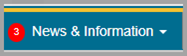
- News & Information tab now shows a notification to inform users when information has been updated since the last time they logged in. Any time we update the text on any of the News & Information screens, a number will appear on the tab, as shown in the image below. The number shows how many screens were updated since the last time you viewed them. In the image below, the number 3 appears on the screen to show that 3 screens were updated.
When you hover your cursor over the tab, any recently updated screen will appear in bold. In the image below, the Important News, Customer Support Hours, and Provider Outreach and Education (POE) screens show as bold because they’ve been updated.
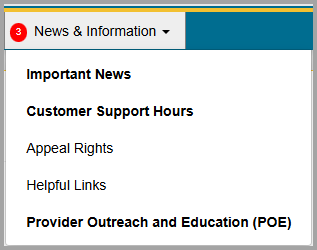
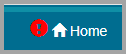
The notification icon disappears after you visit the updated page. This update makes it easy for you to know when there’s new information. - Home tab also now has a notification icon when information is updated on the Home (Welcome to myCGS®!), as shown in the image below. The notification icon disappears after you visit this page.
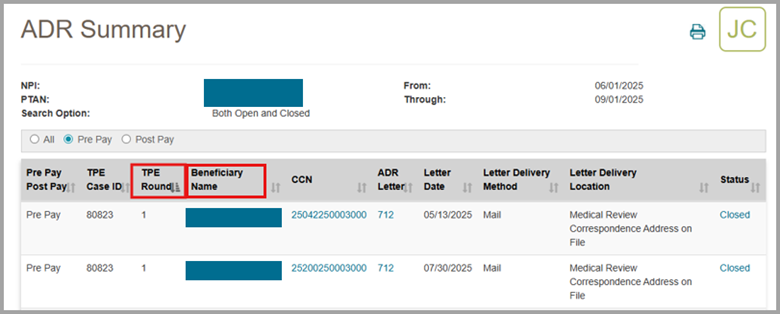
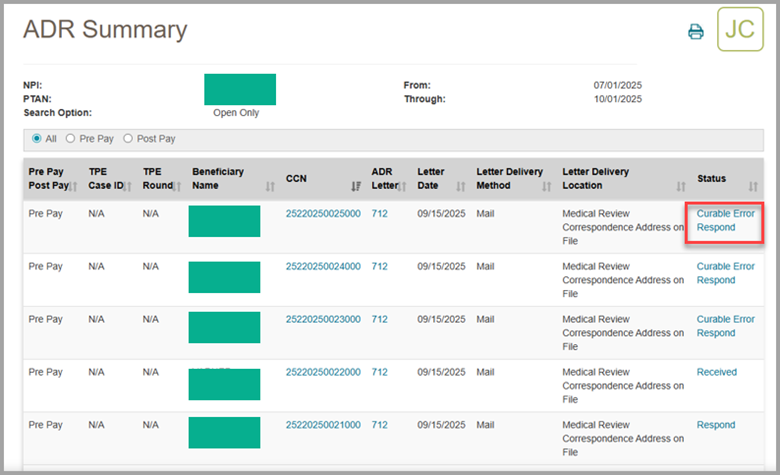
- ADR Summary screen now has columns showing the TPE Round number and the beneficiary's name.
- You can now submit responses to ADR curable errors. If an ADR is a curable error, the status field will display a status of "Curable Error Respond." To respond to the curable error, click on the status and begin the process of submitting your response like any other ADR response.
- My Account menu now only displays options that are applicable to your user role.
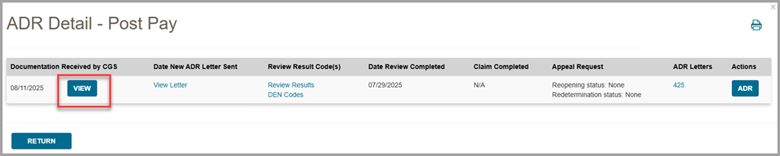
- ADR Detail screen now includes a View button that allows you to see any documentation you have submitted in response to the ADR.
- ADR Detail screen now allows you to view "MRR Letters" after pressing the Review Results link. Previously, this type of letter was unavailable for viewing.
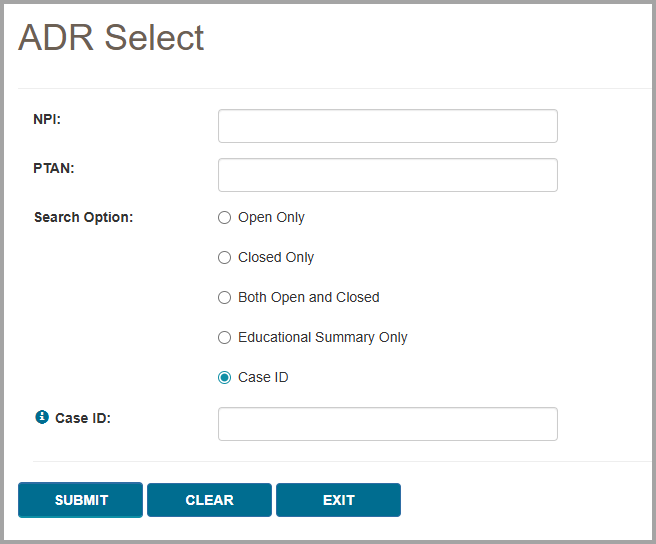
- ADR Select screen now includes an option that allows you to search by Case ID.
CGS is confident that these changes to the myCGS® web portal will save you even more time and money! We’d love to hear what you think! When a survey (like the one below) pops up on our website, please take a moment to share your feedback.

 Join Electronic Mailing List
 Print
Print Bookmark
 Facebook
 YouTube
 LinkedIn
 CGS Medicare Mobile App