



Archiving Messages
To maintain your inbox, you have the option of archiving messages.
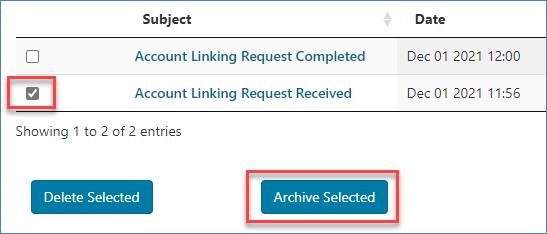
To archive a message or multiple messages, check the box of the message and click the "Archived Selected" button.
NOTE: Messages will be automatically moved to the ARCHIVED MESSAGES sub-tab after 60 days.
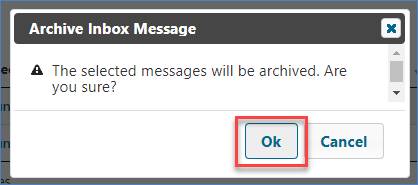
A message will display asking you to confirm. Click "OK" to archive the message.
To access archived inbox messages, select the "Archived Messages" sub-tab.
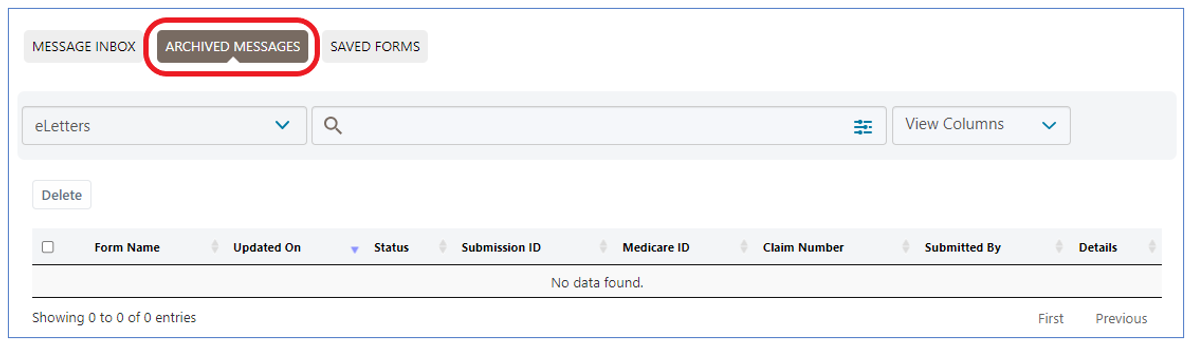
NOTE: The Inbox Folders and filtering options are available for you to locate archived messages.

 Join Electronic Mailing List
 Print
Print Bookmark
 Email
Email Facebook
 YouTube
 LinkedIn