



Part A and HHH Timely Filing and Medicare Secondary Payor Reopening Request
You are now able to submit a Timely Filing or MSP Reopening request on claims that you have submitted to CGS for processing.
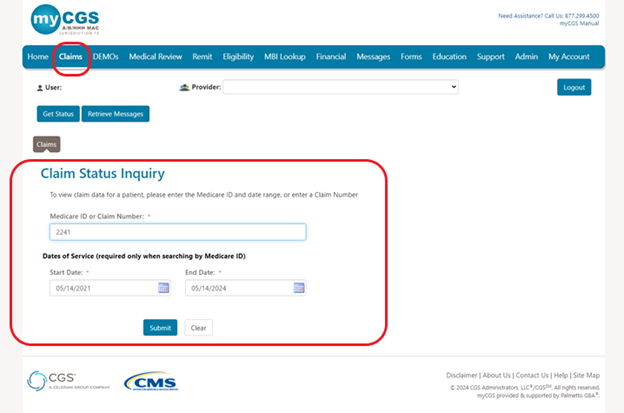
To submit a Timely Filing or MSP Reopening on your submitted claim you will access Claims Tab and complete a “Claims Status Inquiry” with either the Medicare ID or Claim Number and click “Submit” as in the example below:
You will get a list of claims submitted for that Medicare ID or the Claim Number will display the claim as below:
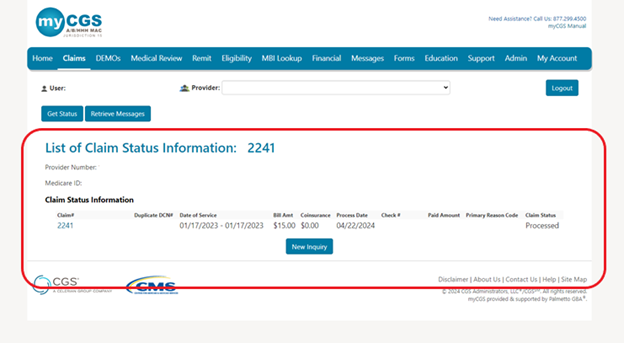
NOTE: The Timely Filing/MSP button will only be available if you selected a claim with the following reason codes: 34XXX for Medicare Secondary Payor Reopening Request and 39011 for Timely Filing. If the claim qualifies and you select the Timely Filing/MSP button it will auto populate the info needed to submit the request.
Now click on the “Claim #” in blue to be taken to the “Claim Status Information” screen and then you will click on the “Timely Filing/MSP” button at the bottom of your screen as seen below:
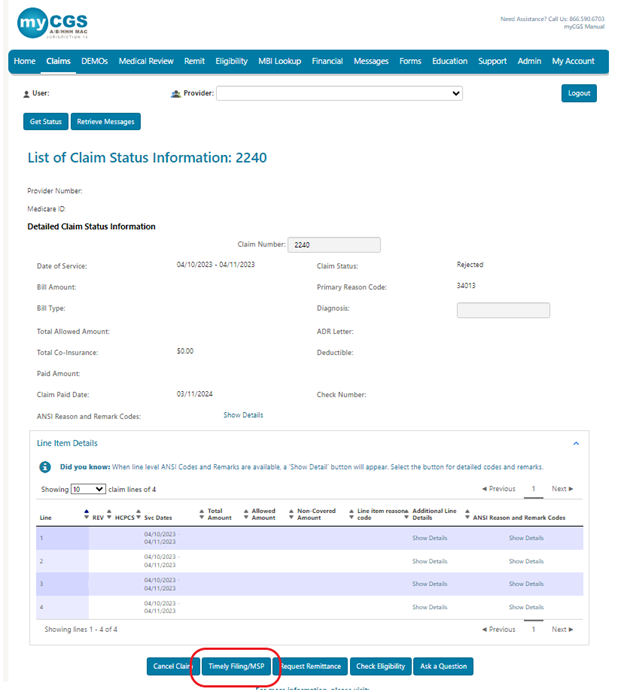
Clicking the “Timely Filing/MSP” button will take you to the Timely Filing/MSP screen where your provider information will auto populate except for the “Provider Phone Number” screen.
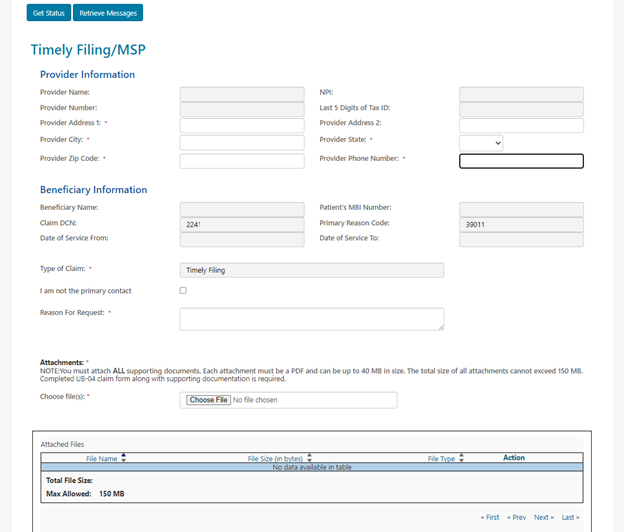
- You will need to key in your “Provider Phone Number” as this the contact number you may want us to reach out if necessary.

- If you are not the final contact that will handle any questions, please check the
 box and enter in the following:
- Primary Contact Name
- Primary Contact Phone Number
- If you are the final contact do not check this box.
- Please key in the Reason for Request
- Up to 100 characters can be submitted

- Up to 100 characters can be submitted
- Attachments:
NOTE: You must attach ALL supporting documents. Each attachment must be a PDF and can be up to 40 MB in size. The total size of all attachments cannot exceed 150 MB. A Completed UB-04 must be submitted with supporting documentation and reason for the request.
- Choose File
- Attached file can be viewed under Attached files.
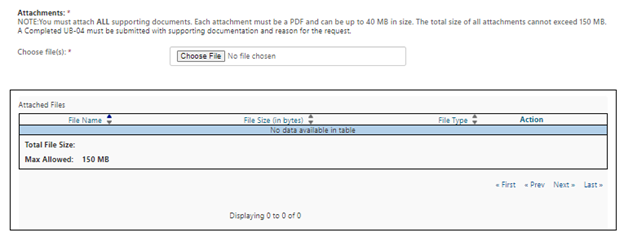
- Now you will click submit at the bottom of the screen and will get a pop up like this:
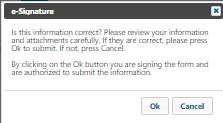
- Click okay and you have successfully submitted a Timely Filing or MSP request.
- If fields are missing fields, you will get message “Please review data entered”
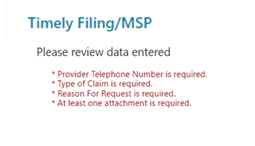
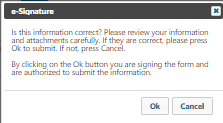
- Once you have corrected any missing data you will click “Submit” again and click “Ok” on this pop up
- You will receive a notice under the Messages tab that you have submitted a Medicare Secondary Payor Reopening or Time Filing request.

 Join Electronic Mailing List
 Print
Print Bookmark
 Email
Email Facebook
 YouTube
 LinkedIn