



Unlocking Accounts
All myCGS users (Provider Administrators and Provider Users) are required to log into myCGS at least once every 30 days. Inactivity results in the ID being disabled. (If the inactivity continues, the ID will eventually be terminated.) Users will receive an e-mail informing them if their account is disabled.

Also, myCGS IDs will be locked upon three unsuccessful login attempts within a 120-minute time span.
Provider Administrators are responsible for unlocking accounts disabled for these reasons.
To unlock an account:
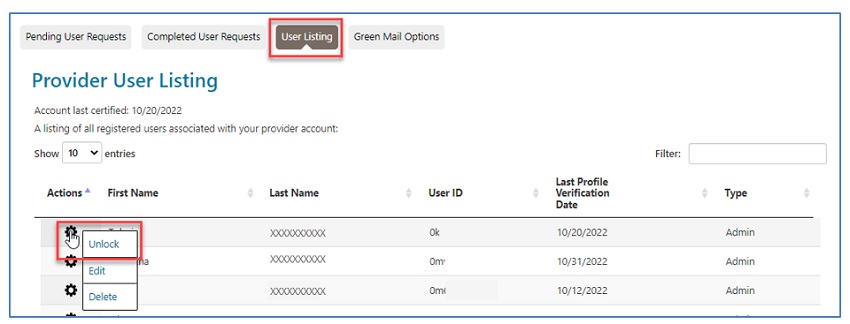
- From the User Listing sub-tab, locate the user who has been locked out.
- You may use the "Filter" field to enter the user's name or ID.
- Once you find the user, click on the gear icon located under the "Actions" column.
- Select "Unlock" to re-establish the user's access to myCGS.

 Join Electronic Mailing List
 Print
Print Bookmark
 Email
Email Facebook
 YouTube
 LinkedIn