



Pending User Requests
All myCGS users can send requests to access provider accounts. These requests also include the tabs and/or permissions users would like to have. Provider Administrators receive these requests and can either approve or decline them.
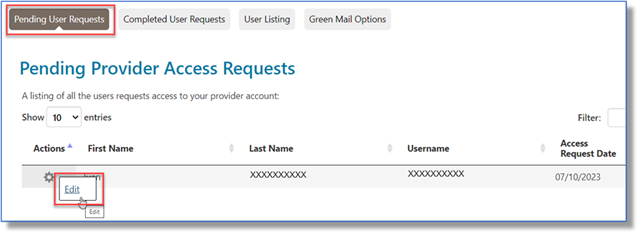
When the Provider Administrator selects the Admin tab, the page defaults to the Pending User Requests sub-tab. The Admin clicks on the gear icon and selects "Edit" to view the request.
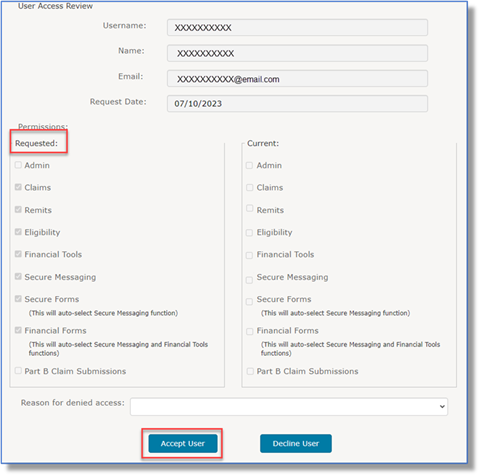
From the User Access Review page, the Admin reviews the request to see what the user has requested. If approved, the Admin clicks the "Accept User" button.
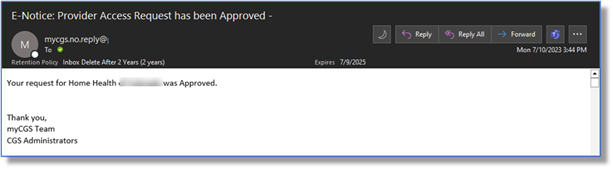
Once the User's request is accepted, a confirmation email is sent.
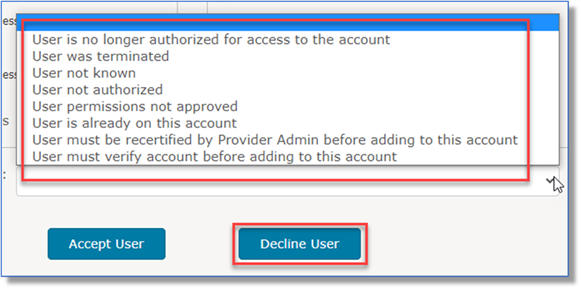
To disapprove the request, the Admin selects the reason from the "Reason for denied access" drop-down, then clicks the "Decline User" button.

 Join Electronic Mailing List
 Print
Print Bookmark
 Email
Email Facebook
 YouTube
 LinkedIn